
Watch multiple videos at once.
Turn your open video tabs into a video wall.
Works with YouTube, Twitch, Vimeo — and almost any other web player.
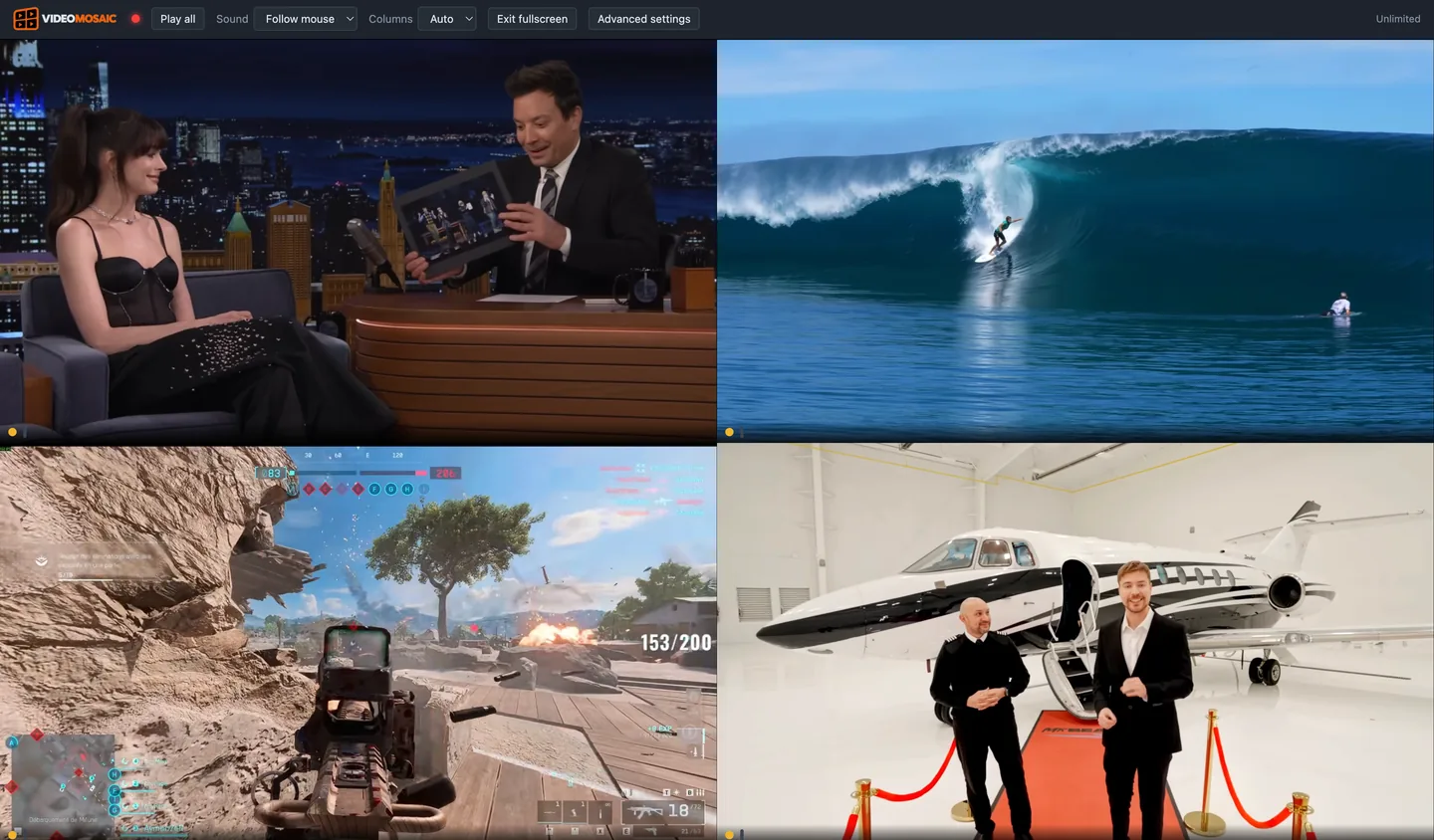
One screen. Multiple streams.
Video Mosaic is a Chrome extension that puts your open video tabs — YouTube, Twitch, Vimeo, live sports and most other web players — into one grid, each with its own play, pause, sound and timeline. Stop jumping between tabs and watch them side by side.
Watch side by side
See multiple videos at the same time without constantly switching tabs.
Use your existing tabs
Open the videos normally, then bring them together with Video Mosaic.
Control them individually
Each video keeps its own controls and playback.
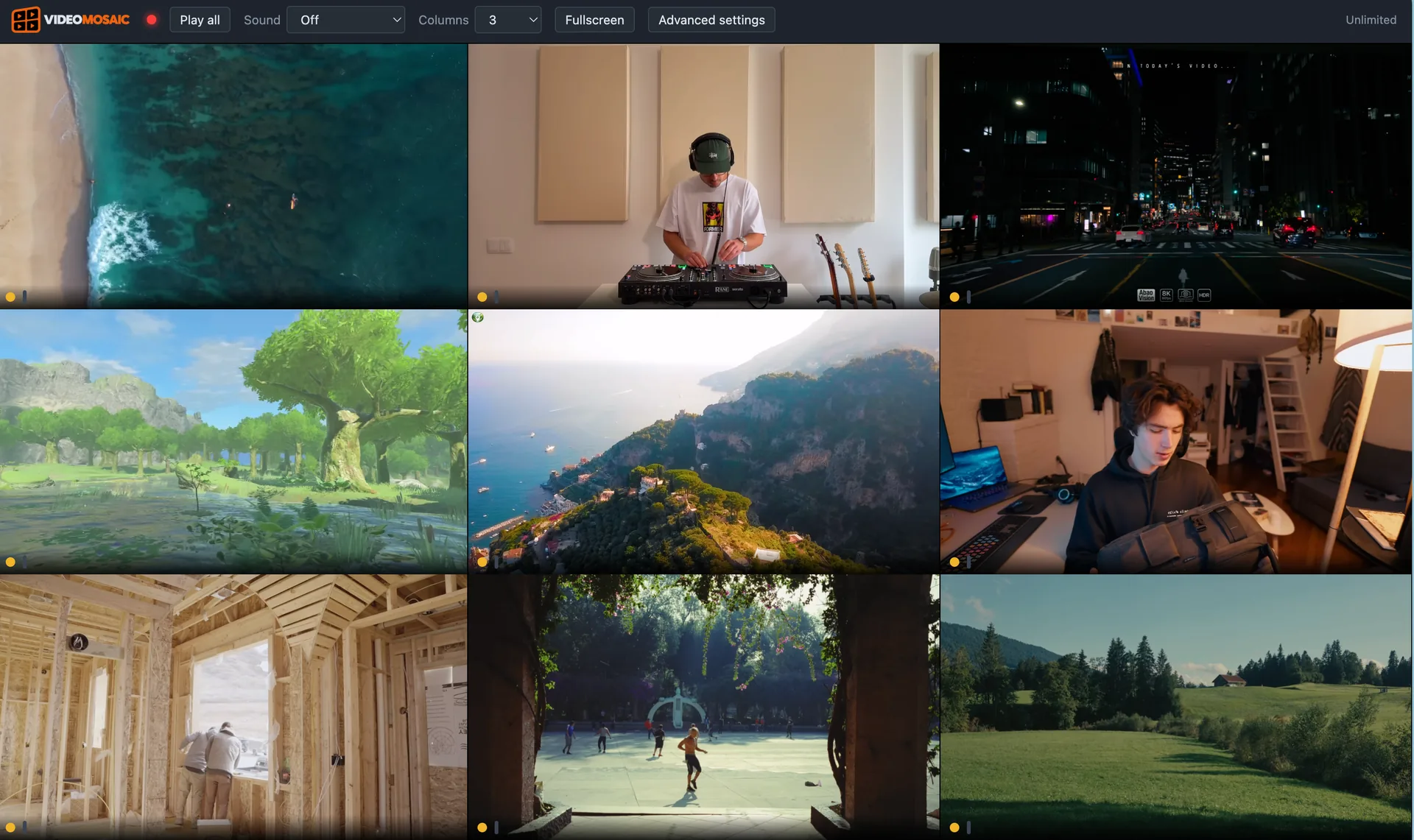
Whatever you’re watching.
Multiple streams
Keep several Twitch streams or live broadcasts on screen at once.
Sports & events
Follow multiple games, races, or live events without switching tabs.
YouTube & video
Watch, compare, or monitor multiple videos side by side.
Web video
Works with almost any compatible web video player.
How it works.
- 01
Open your videos
Open the videos you want in separate tabs.
- BackReloadSave as…Add this tab to Video MosaicInspect02
Launch Video Mosaic
Right-click each tab and add it to the wall — Chrome asks for permission tab by tab.
- Play all03
Watch them together
Arrange your videos and watch them side by side.
A wall you can actually control.
Not a grid of thumbnails. Every screen behaves like its own player.
Play and pause each screen
Pause one to read a replay while the others keep running, or hit Play all to start the whole wall at once.
Sound where you want it
Pick the one screen you hear, or set sound to follow the mouse — move the pointer and the audio moves with it.
A timeline for every video
Each screen gets its own scrub bar plus −10s and +10s. Rewind one match without touching the rest.
Arrange the wall
Set the number of columns, the shape of each screen, zoom inside one, go edge to edge or fit to the window.
Fullscreen
Push the wall to the whole display and the browser chrome disappears. Good for a second monitor.
Works in private windows
Enable it for Incognito and the wall behaves exactly the same. Nothing is written down either way.
No real limit on screens
Free stops at three. Unlock it and the cap disappears — how many run smoothly depends on your computer, not on us.
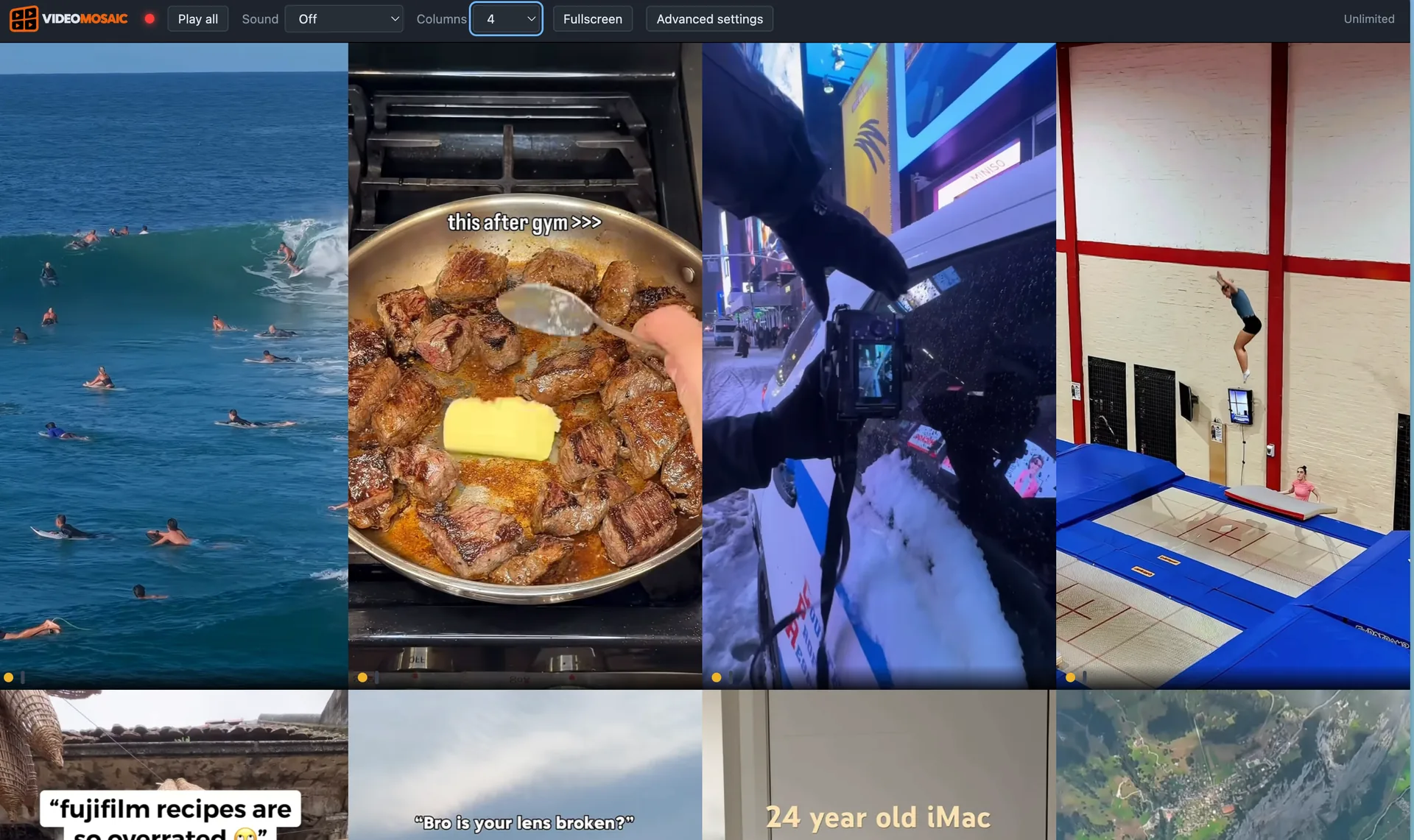
Landscape and vertical, mixed
Shorts, TikTok and Reels play in their own shape, not stretched or cropped. Put a portrait clip beside a landscape one.
Almost any web player.
YouTube. Twitch. Vimeo. And thousands of other video players across the web.
- YouTube
- Twitch
- Vimeo
- Dailymotion
- Live sports
- Self-hosted video
Some DRM-protected services, such as Netflix, aren’t supported. Those players block third-party playback at the browser level, so the screen stays black — we’d rather say so here than let you find out after installing.
Ten euros, once. No subscription.
Three screens are free forever. If you need more, you pay one time and that is the end of it.
Free
Everything, up to three screens.
€0
- Up to 3 screens on the wall
- All layout and sound controls
- Per-video timelines
- No account, no time limit
Unlimited
As many screens as your machine can draw.
€10 once
- Unlimited screens
- Everything in Free
- Licence restores by email on a new computer
- No renewal, no card on file
Payment happens in the extension, through Stripe.
Questions people actually ask.
Why do I have to right-click every tab?
Netflix, Disney+ and Prime Video show a black screen. Why?
What data do you collect?
Does it work on Firefox, Edge or Safari?
Does it download or record the videos?
What happens on a new computer?
How many screens can my computer handle?
Does it work with vertical video, like TikTok or YouTube Shorts?
Is the €10 a subscription?
Do the videos stay in sync?
Still stuck? Write to contact@videomosaic.app and we’ll help directly.
Why watch one at a time?
Turn your open video tabs into one video wall.
Curious first? Read how to watch multiple YouTube videos at once.